LifeMD: Telehealth Services
- 4.7
- Rating
- 100.00K
- Installs
- Free
- Price

 Analysis by App-foxy
I approached LifeMD as a practical medical app rather than something I would open casually every day. Its appeal is straightforward: it brings virtual access to urgent care, weight support, and wellness into one service from LifeMD. That combination makes sense for people who want a more organized starting point for routine health needs, especially when arranging an in-person visit feels inconvenient.
My overall impression is that the app is most useful when it helps reduce the friction around deciding what to do next. It is not a substitute for emergency services, a full medical record system, or a personal relationship with one clinician. Instead, I see it as a digital front door for selected healthcare conversations. That distinction matters, because the right expectations have a big effect on whether the experience feels efficient or limited.
How LifeMD fits into everyday healthcare
LifeMD sits in the medical category and is free to install, with a Teen content rating. It was released on January 28, 2022, and the current version is 66.1.0 for devices running iOS or Android 10 and later. Those details make it relatively approachable for people using a reasonably current phone, although anyone with an older handset should check compatibility before planning around it.
You May Also Like

 Blood Strike: 2.5 Anniversary
Blood Strike’s Loadouts Turn Every Drop Into a Tactical Gamble
A close look at Blood Strike’s custom loadouts: how fast access to signature weapons reshapes its battle royale rhythm, rewards preparation, and narrows the gap between fights.

 Pandora - Music & Podcasts
Pandora’s Music Is Easy to Start, but Harder to Recover
Pandora’s strength is its low-effort path from a seed to a station. Its weak spot is how much confidence it asks you to place in connection, setup, and quiet recovery.

 8 Ball Pool
 Is Built on Rivalries, Rematches, and Routine
A close look at the rivalries, rematches, shared routines, and unanswered safety questions that turn a quick pool match into a persistent mobile community.

 Samsung Music
’s Quiet Strength Is Playing What You Already Own
Its reach comes less from spectacle than from dependable access to a personal library. That simplicity is both the app’s strongest retention engine and its ceiling.

 AccuWeather: Weather Radar
AccuWeather Review: A Quick, Clear Forecast for Everyday Decisions
For everyday plans, the best forecast is the one you can understand quickly. AccuWeather makes rain timing, radar, and local conditions easy to act on, with a few trade-offs.

 Hill Climb Racing
Why Hill Climb Racing Still Turns Crashes Into One More Run
A tiny car, a bumpy hill and one more upgrade: Hill Climb Racing keeps resurfacing because its simple chaos makes every near-miss feel personal.
More From Our News Desk
View All News


The developer is LifeMD, and the app has built a visible user base, with over 100 thousand installs. Its average rating is 4.7 from around 3.7 thousand ratings, alongside more than 600 written reviews. I would treat those figures as encouraging rather than conclusive: a strong rating suggests that many people find the service worthwhile, but healthcare experiences can vary considerably depending on the concern, timing, and expectations of each user.
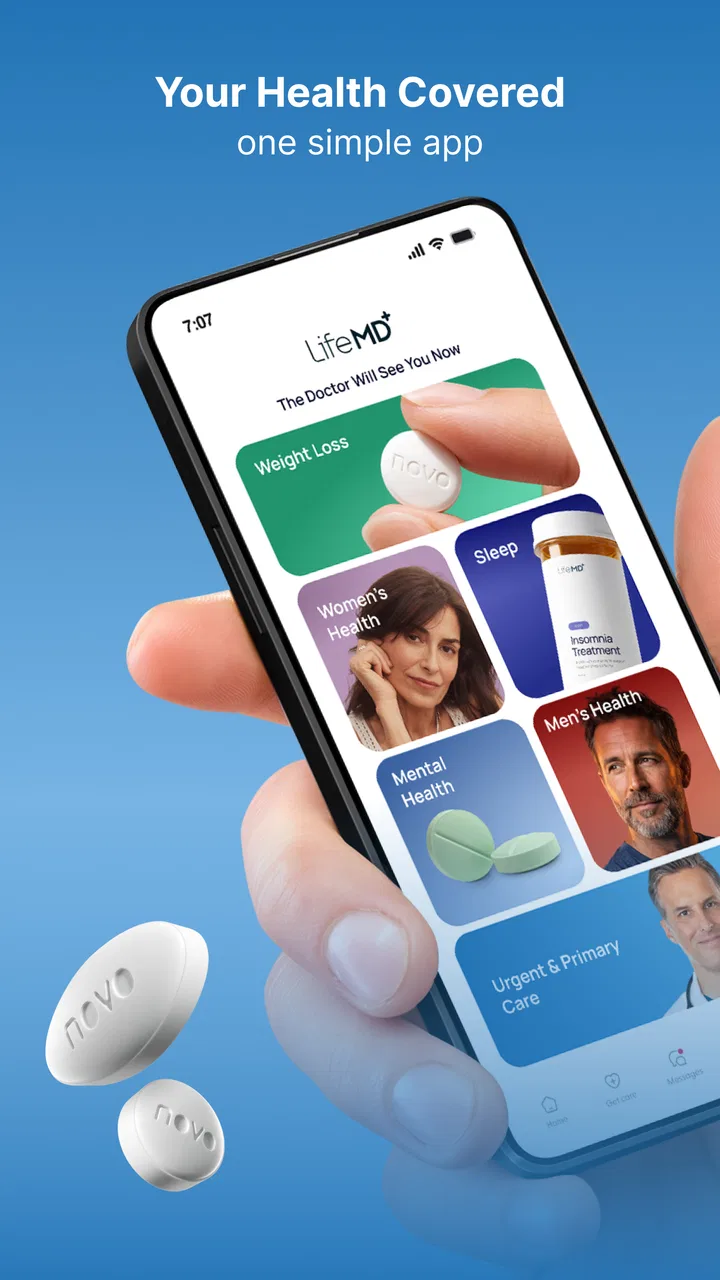
The three areas covered by the service give it a broader role than a single-purpose symptom checker. Urgent care is aimed at immediate, non-emergency concerns; weight support addresses a longer-term health goal; and wellness is a more general space for maintaining health. In practice, that breadth is convenient, but it also means the app may feel less focused than a specialist service built around just one of those needs.
I would start by deciding which of those paths matches the reason I am opening the app. That small step prevents a common digital-health mistake: entering a broad service without a clear question and then feeling unsure about what to do next. If I only need general guidance, the wellness area may be appropriate. If I have a time-sensitive but non-emergency concern, urgent care is the more logical entry point. A longer-term weight goal deserves a different kind of commitment than a one-off consultation.
What happens when speed matters
For a medical app, perceived speed is not just about how quickly screens appear. It is also about how quickly I can understand the next step, provide relevant information, and reach the appropriate part of the service. LifeMD benefits from putting several healthcare routes in one place, because I do not have to search among separate apps before choosing a direction.
That does not mean every health question will be resolved instantly. Digital care still depends on the consultation process and on the details of the issue being discussed. I would not use the app expecting an automatic answer to a complicated condition. The practical advantage is the reduced setup burden: once I know whether I am looking for urgent care, weight support, or wellness help, the service has a clearer purpose than a generic search engine.
A realistic example would be a weekday evening when I develop a non-emergency concern and my usual clinic is difficult to reach. I could open LifeMD, choose the relevant care route, and prepare the symptoms and background information before beginning the interaction. That workflow is valuable because it turns an uncertain moment into a defined task. I would still keep emergency services in mind for severe or rapidly worsening symptoms; a virtual-care app should never delay urgent help.
One useful habit is to prepare a short timeline before starting: when the issue began, what changed, what I have already tried, and what outcome I want from the consultation. This is not a special feature claim about the app; it is a practical way to make any digital medical interaction more efficient. It also reduces the chance that I will forget an important detail while moving through a compact mobile interface.
Where heavier use can create friction
The most demanding moments are likely to come when I use the service for an ongoing goal rather than a single question. Weight support and wellness naturally require more context than a brief urgent-care interaction. I may need to think about habits, progress, concerns, and follow-up questions over time. A service that combines these areas can be convenient, but it also asks me to stay organized so that a broad health objective does not become a vague one.
I would avoid opening the app with several unrelated concerns and expecting one short session to handle all of them equally well. A better approach is to choose the primary reason for the visit, keep secondary questions noted separately, and return to them only if the care pathway allows it. This makes the interaction easier to follow and gives the clinician or service a cleaner picture of what needs attention first.
There is also a trade-off between convenience and depth. A virtual service can be easier to access than traveling to a clinic, but it cannot reproduce every part of an in-person assessment. If a concern depends on a physical examination, testing, or immediate observation, I would see LifeMD as a possible first point of contact rather than the complete solution. That is especially important for symptoms that are severe, unusual, or getting worse.
For weight support, I would judge the app less by the excitement of starting and more by whether its process fits my actual routine. A person who wants structured digital guidance may appreciate having that goal alongside other medical services. Someone seeking a highly specialized program, intensive in-person accountability, or a tightly defined clinical relationship may prefer a dedicated provider instead.
Stability and the confidence to rely on it
The app's rating and continued availability give me reasonable confidence that it is not an abandoned experiment. A current version numbered 66.1.0 also indicates ongoing product maintenance rather than a frozen release. Still, stability in a healthcare app has two meanings: the software should behave consistently, and the service should make the care process understandable. The second point is just as important as loading screens correctly.
I would keep the app updated when possible, particularly before I expect to use it for a time-sensitive consultation. That is sensible with any medical service, since an outdated build can create avoidable compatibility problems. I would also avoid waiting until the moment of need to create an account, review the available care areas, or confirm that my phone meets the minimum operating-system requirement.
Another reliability habit is to maintain a backup plan. LifeMD can be a convenient route for eligible, non-emergency needs, but I would still know the phone number for my regular clinician, the location of a nearby clinic, and the proper emergency contact for serious symptoms. This is not a criticism unique to LifeMD; it is simply responsible planning when healthcare depends partly on a phone and an internet-based service.
I also prefer to keep my expectations precise. A high user rating does not guarantee that every consultation will feel equally fast or equally useful. The quality of a digital medical experience can depend on the kind of issue, the information I provide, and whether the app's available service matches what I need. In my view, the strongest sign of reliability is not assuming the app can do everything, but knowing when it is the appropriate channel.
Phone requirements and practical device limits
LifeMD requires Android 10 or later, which is a meaningful consideration for anyone holding onto an older device. The app is free to install, but that should not be confused with every possible healthcare service being cost-free. Before committing to a consultation or support plan, I would carefully review the terms shown inside the service and make sure I understand what is included for my situation.
A newer operating system generally gives an app a better foundation for compatibility, but the phone itself still matters. A device with very little free storage, an unreliable connection, or an aging battery can make any healthcare interaction more stressful. I would clear enough space for updates, charge the phone beforehand, and use a stable connection when possible. These simple preparations are particularly worthwhile when I need to describe symptoms or complete a health-related workflow without interruption.
I would also choose a private setting. Medical conversations can involve sensitive information, and using the app in a crowded place may make it harder to speak openly or concentrate. Headphones can help with privacy, although I would not rely on them if they make it difficult to hear important instructions. The best device setup is the one that lets me communicate clearly and review information without rushing.
People who share a phone or use a heavily restricted work device should think about whether that arrangement is suitable for personal healthcare. I would prefer my own protected device, a secure screen lock, and careful attention to who can see notifications. These are general digital-health precautions, but they become especially relevant when an app brings urgent care, weight support, and wellness into one account.
Who will get the most from it
LifeMD makes the most sense for adults and older teenagers who want a convenient virtual starting point for non-emergency healthcare and who are comfortable managing part of the process through a phone. It is particularly appealing to someone balancing work, family, or travel and looking for one place to explore urgent care, weight support, and wellness rather than installing separate services for each purpose.
I can also see value for a person who wants to prepare before contacting a clinician. Organizing symptoms, deciding which care area fits, and writing down questions can make the app feel less like a passive information source and more like a practical appointment tool. The broad service is useful when my needs change over time, provided I understand that different concerns may require different kinds of follow-up.
On the other hand, I would skip LifeMD as my main option if I need emergency treatment, a physical examination, complex testing, or highly specialized ongoing care. I would also hesitate if I dislike communicating through a mobile service or if my phone and connection are unreliable. A local clinic, regular doctor, pharmacist, or specialist may be the better choice in those situations because the care relationship and examination options are more direct.
Compared with searching symptoms on the web, the app offers a more structured healthcare route and a clearer connection to virtual care. Compared with a traditional clinic, it may be more convenient but less capable of handling needs that depend on hands-on assessment. Compared with a single-purpose weight or wellness app, its advantage is the inclusion of urgent care in the same service; its compromise is that it may not provide the narrow depth of a specialist platform.
My performance verdict after weighing convenience against limits
I judge LifeMD as a useful, focused medical service for people who want virtual access to several kinds of support without treating a phone app as a complete healthcare system. Its strongest quality is the way it brings urgent care, weight support, and wellness into one recognizable starting point. That can save time and reduce confusion when the need is appropriate for remote care.
Its perceived speed should be understood as workflow convenience rather than a promise of instant medical resolution. Its stability looks reassuring from its active version and broad adoption, but I would still prepare the device and keep a backup care option. Its resource demands are likely to be manageable on a compatible phone, while connection quality, privacy, battery, and storage remain practical factors that can influence the experience.
The most important trade-off is scope. LifeMD is broader than a narrowly focused app, yet that breadth does not make it suitable for every medical problem. I would use it deliberately: choose the right care area, prepare concise information, protect my privacy, and recognize symptoms that belong in emergency or in-person care instead. Used with those boundaries, it can be a sensible addition to a personal healthcare routine.
My recommendation is therefore positive but measured. I would suggest trying LifeMD if convenient virtual care, weight support, or wellness guidance matches a real need and the device meets the Android 10 minimum. I would not recommend relying on it as the only healthcare option. For the right everyday situation, it can make the first step easier; for serious, complex, or examination-dependent concerns, a different route is clearly better.
FAQs for LifeMD: Telehealth Services
01What features does LifeMD offer for managing my healthcare needs?
LifeMD provides a comprehensive suite of features designed to manage your healthcare effectively. Users can schedule virtual doctor consultations, access personalized health plans, and receive prescription management services. The app also offers 24/7 access to healthcare professionals, ensuring that you have support whenever needed. This makes it a convenient option for busy individuals.
02Is LifeMD available on both Android and iOS platforms?
Yes, LifeMD is available for download on both Android and iOS platforms. This ensures that users can access its services regardless of their device preference. You can find the app on the Google Play Store for Android devices and the Apple App Store for iOS devices, making it widely accessible.
03How does LifeMD ensure the privacy and security of my personal health information?
LifeMD prioritizes the privacy and security of your personal health information by adhering to strict data protection regulations. The app uses advanced encryption technologies to safeguard user data and complies with HIPAA standards. This ensures that your sensitive health information remains confidential and protected from unauthorized access.
04Are there any subscription fees associated with using LifeMD, and what do they cover?
LifeMD operates on a subscription model, offering various pricing plans that cater to different user needs. Subscription fees cover access to virtual doctor consultations, personalized health advice, and prescription management. Users have the flexibility to choose a plan that best suits their healthcare requirements, ensuring comprehensive coverage.
05What should I do if I experience technical issues while using the LifeMD app?
If you encounter technical issues while using the LifeMD app, there are several steps you can take. First, ensure your app is updated to the latest version. Check your internet connection and restart your device. If problems persist, LifeMD provides customer support through email or chat, offering prompt assistance to resolve any issues efficiently.
Pros
- User-friendly interface and design.
- Wide range of medical services offered.
- Convenient appointment scheduling.
- Access to licensed healthcare professionals.
- Secure and confidential consultations.
Cons
- Limited availability in some regions.
- Subscription costs may be high.
- Requires stable internet connection.
- Some features are app-exclusive.
- Potential wait times for appointments.

LifeMD: Telehealth Services
Gallery